|
RadiantQ jQuery Gantt Package
Editing Tasks
|   |
|
RadiantQ jQuery Gantt Package
Editing Tasks
| |
Editing Tasks
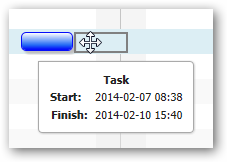
A tasks's StartTime can be changed by simply dragging them to the left or right in the Chart.
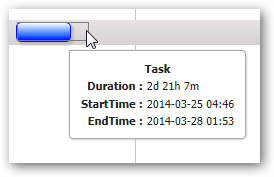
The task's EndTime can be changed by resizing it.
The task's StartTime can be changed by resizing it.
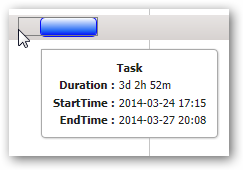
Resizing tasks to the left
The default template we use in most of our samples and documentation (for example in the previous Task Template topic) does not include the ability to resize at the start of the task bar. You can enable this by placing the "rq-taskbar-dragThumb" and "rq-taskbar-resizeThumb" Div's inside task templates like below
|
var pTemplate = "<div class='rq-gc-parentBar'><div class='rq-taskbar-dragThumb'></div><div class='rq-taskbar-resizeThumb'></div><div class='parentLeftPoly-style'></div><div class='parentMiddleBar-style'></div><div class='rq-gc-parentBar-rightCue'></div></div>"; var tTemplate = "<div class='rq-gc-taskbar'><div class='rq-taskbar-dragThumb'></div><div class='rq-taskbar-resizeThumb'></div></div>"; |
Take a look at Task Popups topic for more information about customizing the default popup.
© RadiantQ 2022. All Rights Reserved.