|
RadiantQ jQuery Gantt Package
Multiple Task Selector
|   |
|
RadiantQ jQuery Gantt Package
Multiple Task Selector
| |
You can enable the mutliple task selection as follows with the EnableMultipleTaskSelector, MultipleTaskSelectorKeyCode.
|
var $gantt_container = $('#gantt_container'); $gantt_container.FlexyGantt({ EnableMultipleTaskSelector: true, // We have set customizable x (key code 88) for multiple task selection MultipleTaskSelectorKeyCode: 88, ............ ............. GanttChartTemplateApplied: function (sender , args) { ............... } }); |
This will allow you select multiple task
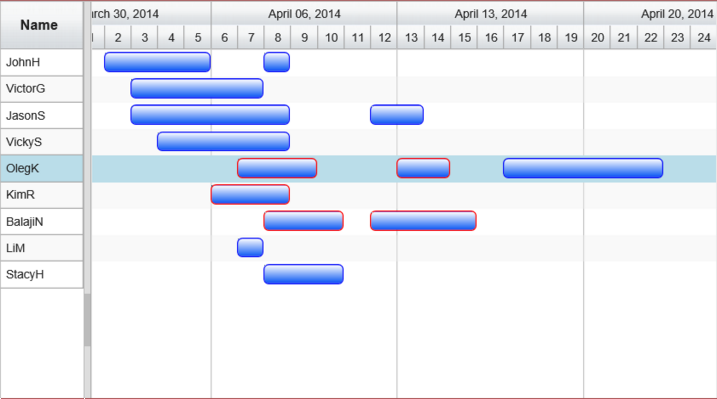
A sample that illustrates this feature can be located here in the install:
In HTML : ..\Samples\FGMultipleTaskSelector.htm.
In ASP.NET MVC : ..\Views\Home\FlexyGantt\FGMultipleTaskSelector.cshtml.
In ASP.NET : ..\Samples\FlexyGantt\FGMultipleTaskSelector.aspx.