|
RadiantQ jQuery Gantt Package
Time Span Highlighting
|   |
|
RadiantQ jQuery Gantt Package
Time Span Highlighting
| |
Time Span Highlighting
The gantt provides the option to highlight the time line in the chart area when the user moves the mouse over the time line headers. This feature is easily turned on with this setting:
Here is a sample code that shows how to setup the time range highlight behavior
|
/ Initialize the FlexyGantt widget. $('#container').FlexyGantt({ DataSource: self.jsonData, //to remove this behavior,you have to set "RadiantQ.Gantt.TimeRangeHighlightBehavior.None" TimeRangeHighlightBehavior:RadiantQ.Gantt.TimeRangeHighlightBehavior.HighlightInChartOnHeaderMouseHover, ...... }); |
|
In ASP.NET MVC |
|
@Html.JQFlexyGantt( new JQFlexyGanttSettings() { ControlId = "gantt_container",
Options = new FlexyGanttOptions() { ... TimeRangeHighlightBehavior = TimeRangeHighlightBehavior.HighlightInChartOnHeaderMouseHover, GanttChartOptions = new GanttChartOptions() { AnchorTime = DateTime.Today, MovingInfoPopupID = "MovingInfoPopup", ResizeInfoPopupID = "ResizeInfoPopup",
} } } ) |
|
In ASP.NET |
|
<RQ:FlexyGantt ID="gantt" TimeRangeHighlightBehavior = "HighlightInChartOnHeaderMouseHover" ... /> |
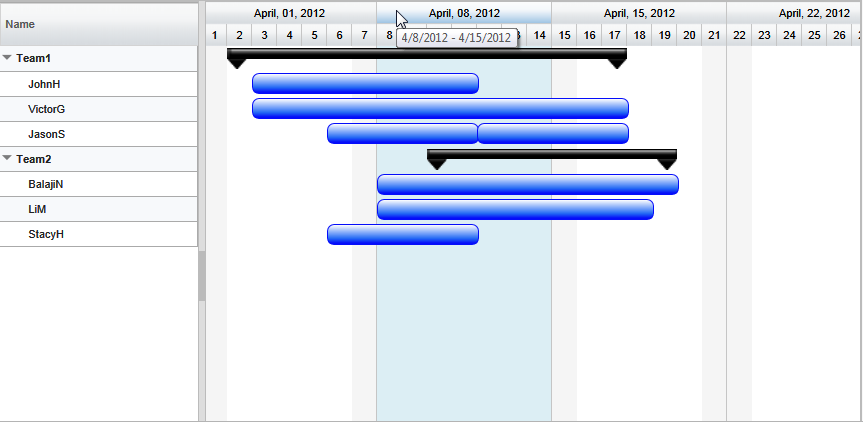
Customizing the default non working background and highlight color
This is easily implemented by redefining the CSS styles defined in the radiantq.gantt.default.css file.
To change NonWorking day background in chart.
.rq-gc-nonWorking-background
{
background-color: #F0FAFF !important;
border: none !important;
background-image: none !important;
}
To change time line hover style in chart.
.timeunitBG-mouseIn
{
background: darkgray !important;
border: none !important;
}
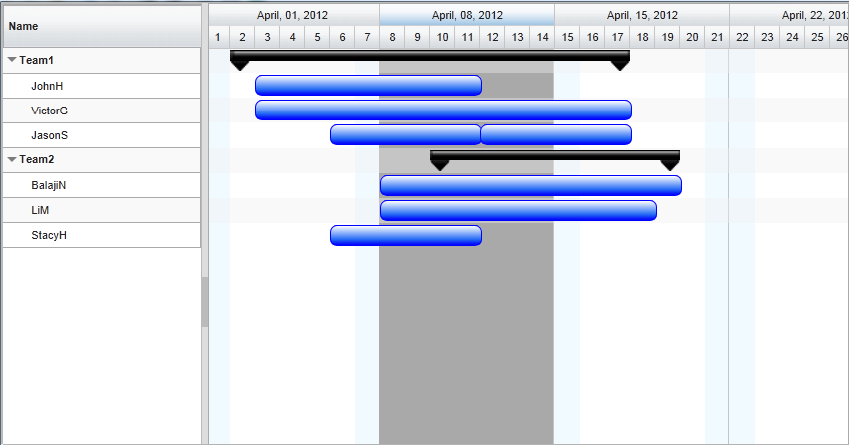
Gantt's non-working background and hover background redefined.
© RadiantQ 2022. All Rights Reserved.