|
RadiantQ jQuery Gantt Package
Themes
|   |
|
RadiantQ jQuery Gantt Package
Themes
| |
The jQuery Gantt widgets come with a professional looking default look which you can customize to your needs. But the gantt widgets can also take on the look of a jQuery UI theme if you choose to include incorporate that theme in your page.
Default Theme
The default style for the Gantt is defined in the file radiantq.gantt.default.css.
|
<!-- Default theme--> <link href="Src/Styles/radiantq.gantt.default.css" rel="stylesheet" type="text/css" /> |
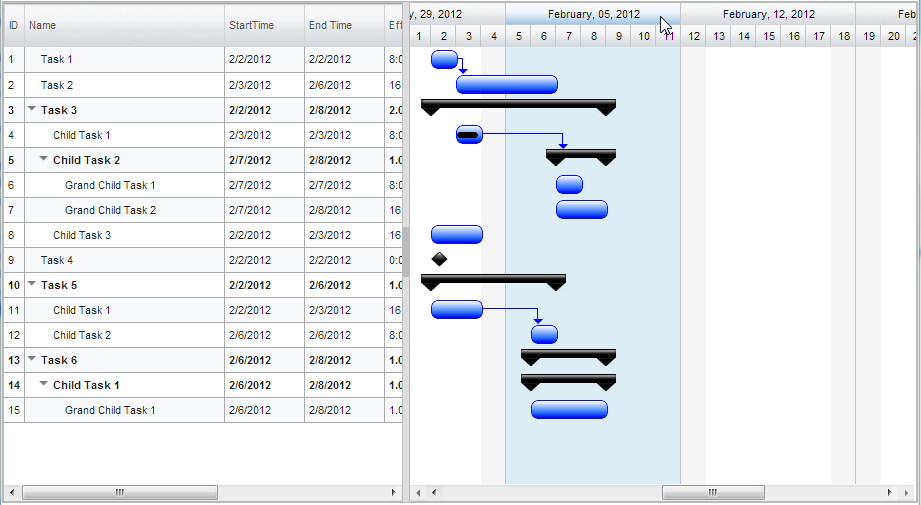
jQuery Gantt Default Style.
The above CSS file is in the ..\Src\Styles folder.
Customizing the default gantt look
This is easily implemented by redefining the CSS styles defined in the radiantq.gantt.default.css file.
To change Task Bar style and the Dependency Line Style in chart.
.taskbar-style
{
height: 20px;
background-image: url(Images/greenBar.png) !important ;
-moz-background-size: 100% 100% !important; /* Firefox 3.6 */
background-size: 100% 100% !important;
background-repeat: repeat !important;
border: 1px solid green !important;
border-radius: 7px !important;
float: left !important;
position: absolute !important;
z-index: 10 !important;
}
.rq-gc-dependencyLine-arrow
{
border-top-color: green !important;
background: transparent !important;
border-bottom-color: green !important;
border-color: green !important;
}
To change Summary Bar style in chart.
.parentLeftPoly-style
{
background-image: url(Images/Darkness_poly.png);
width: 20px;
position: absolute;
height: 100%;
background-size: 100% 100%;
background-repeat: no-repeat;
background-position: center;
float: left;
}
.rq-gc-parentBar-middle
{
background-image: url(Images/Darkness_parentmiddle.png);
width: 100%;
position: absolute;
height: 50%;
background-repeat: no-repeat;
background-size: 100% 100%;
float: left;
}
.rq-gc-parentBar-rightCue
{
background-image: url(Images/Darkness_poly.png);
width: 20px;
height: 100%;
background-size: 100% 100%;
background-repeat: no-repeat;
background-position: center;
float: right;
}
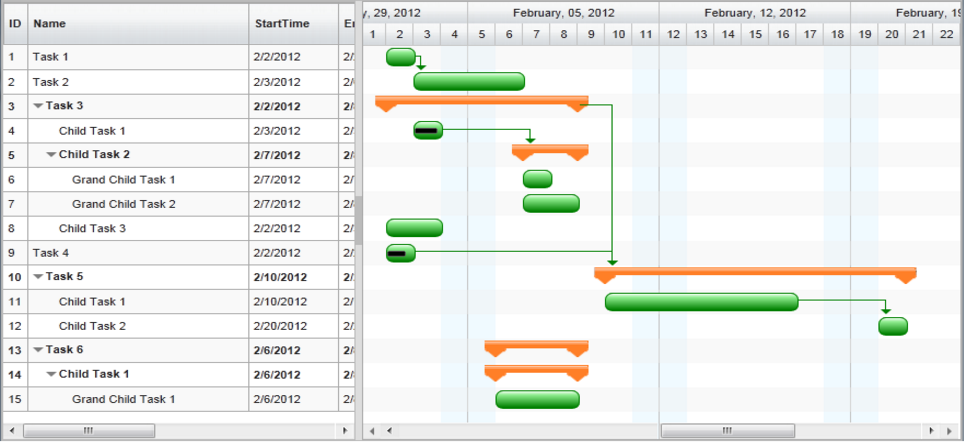
Customized jQuery Gantt default Style.
Including jQuery UI Theme
For the jQuery UI theme css to affect the gantt, you must include the radiantq.gantt.theme.css (instead of the above *default.css) followed by the ui theme css file, specifically in that order.
|
<!-- Gantt overridable style--> <link href="Src/Styles/radiantq.gantt.theme.css" rel="stylesheet" type="text/css" /> <!--jQuery ui le-frog theme--> <link href="Src/themes/Themes/smoothness/jquery-ui.css" rel="stylesheet" type="text/css" /> |
Note: If, by mistake, you include radiantq.gantt.default.css (instead of the *gantt.theme.css above), then the jQuery UI themes will not have any effect on the gantt.
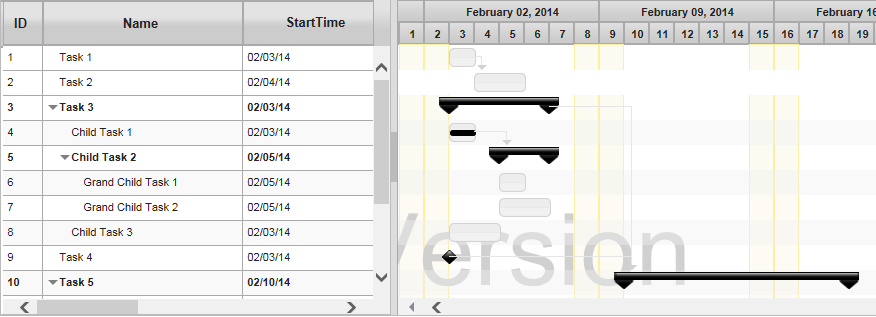
Gantt using jQuery UI smoothness theme.
All themes are illustrated in this sample in our install: ..\Samples\ThemesSupport.htm sample.
Customizing the jQuery UI themed look
To change Task Bar Style and Dependency Line Style in the chart.
.ui-state-default{
border: 1px solid rgb(182,213,234) !important;
background: rgb(182,213,234) url(Images/Cupertino_taskbar.png) 50% 50% repeat-x !important;
font-weight: normal ;
color: #ffffff ;
}
.rq-gc-dependencyLine
{
background-clip: padding-box !important;
background-color:rgb(182,213,234);
border-width:0px !important;
margin-top:0px !important;
background-image:none !important;
}
.rq-gc-dependencyLine-arrow
{
border-color:rgb(182,213,234);
border-top-width:5px !important;
background:transparent !important;
}
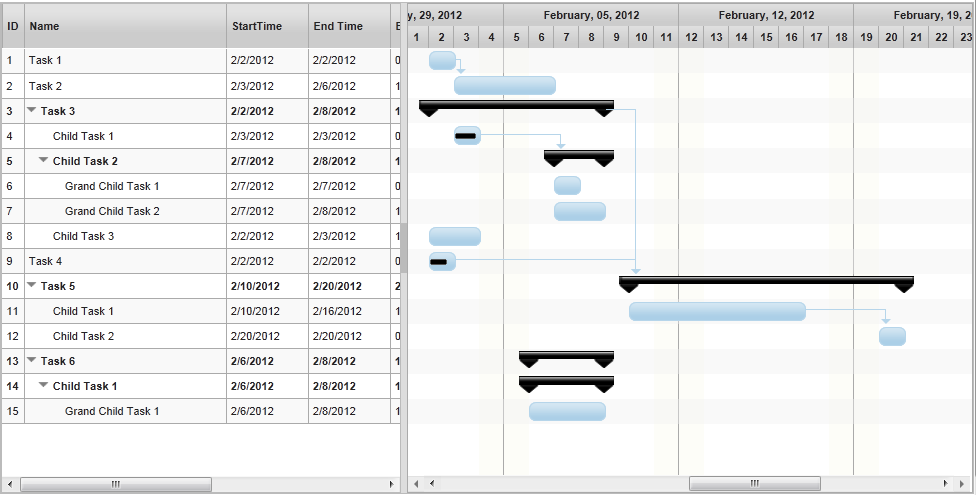
Customized jQuery UI smoothness theme.
© RadiantQ 2022. All Rights Reserved.