|
RadiantQ jQuery Gantt Package
Schedule for Rendering
|   |
|
RadiantQ jQuery Gantt Package
Schedule for Rendering
| |
FlexyGantt with a Schedule
You can assign a schedule to FlexyGantt which will then be used by the gantt while rendering and user interaction.
For example,
|
var $gantt_container = $("#gantt_container"); // Initialize the FlexyGantt widget. $gantt_container.FlexyGantt({ DataSource: self.jsonData, .... WorkTimeSchedule: RadiantQ.Gantt.WorkTimeSchedule.Schedule8X5 }); |
Sized-to-Fit Rendering
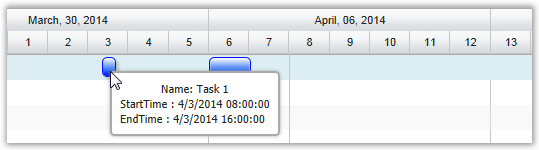
See how a task spanning 8 hours is rendered without and with a schedule assigned.
With a null schedule:
With a 8X5 schedule:
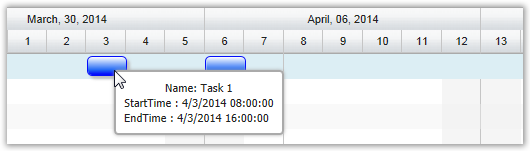
The schedule will also be applied when the user resizes or moves the task.
Times outside the schedule
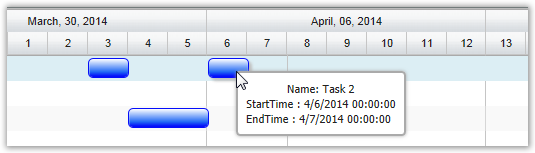
While the FlexyGantt will adjust the times as the user resizes or moves a task, it will not adjust the times to fit the schedule on load. So, if your task data has times that does not fit the specified schedule, the FlexyGantt will simply render it without adjusting.
See how a task falling on a Sunday is rendered as is, without adjusting for the assigned schedule.
This is illustrated in this samples:
In HTML : ..\Samples\FGCustomResourceLevelSchedules.htm.
In ASP.NET MVC : ..\Views\Home\FlexyGantt\FGCustomResourceLevelSchedules.cshtml.
In ASP.NET : ..\Samples\FlexyGantt\FGCustomResourceLevelSchedules.aspx.
© RadiantQ 2022. All Rights Reserved.