|
RadiantQ jQuery Gantt Package
End-User Time Scale Header Operations
|   |
|
RadiantQ jQuery Gantt Package
End-User Time Scale Header Operations
| |
End User Zooming
End users can zoom the time-range using the mouse-wheel or mouse down + drag on the headers.
The current zoom level is specified in the BaseTimeUnitMinimum property and there are also (settable) BaseTimeUnitWidthMinimum and BaseTimeUnitWidthMaximum which dictate the allowed range of zooming operations. This specified range will be enforced while setting the zoom value programmatically or by the end-user. See the previous topic for more information on BaseTimeUnitWidthMinimum.
Note that while zooming-in, if the time-units in some headers are too small to display then that whole header is collapsed. For example:

Year, Month and Week headers before zooming in.

Month and Week headers are collapsed after zooming in.
You can actually customize the zooming behavior by setting the GanttChart.ZoomOptions with one or more of these enums:
RadiantQ.Gantt.ChartZoomOptions =
{
// Turns off all zooming capabilities.
None : 0,
// Zooms when using the mouse wheen on the time scale header.
MouseWheelZoomOnTimeScaleHeaders : 0x02,
// Zooms when mouse wheel is used on the gantt chart.
MouseWheelZoomOnGanttChart : 0x04,
// Zooms when left mouse down on the time span header and dragged.
LeftMouseButtonDownDrag : 0x08
}
End User Panning
End users can pan the time-range using Ctrl + Mouse Down + Drag on the headers.
When GanttChart.ResizeToFit is false (default setting) the end-user can only pan until he reaches the end of the scrollable view to the left or right. After which, the end-user will have to page using the pager buttons.
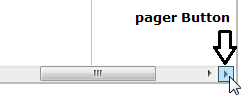
Right Pager Button .
Again, you can customize this behavior by setting the GanttBase.ScrollOptions property with one or more of these enums:
RadiantQ.Gantt.ChartScrollOptions=
{
// Turns off all scrolling capabilities.
None : 0x00,
// Left mouse down on the time scale header and drag to scroll it.
LeftMouseButtonDownDrag : 0x01,
// Ctrl + Left mouse down on the time scale header and drag to scroll it.
CtrlAndLeftMouseButtonDownDrag : 0x02
}
© RadiantQ 2022. All Rights Reserved.