|
RadiantQ jQuery Gantt Package
Custom Look and Feel
|   |
|
RadiantQ jQuery Gantt Package
Custom Look and Feel
| |
By default task bars are in blue gradient as shown below. This default look changes if you choose one of our built-in themes, though.
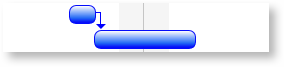
Default Task Bar
Customizing Task Bar Look Using Custom Templates
You can also fully customize the look and feel of task bars by just over ridding the taskbars style. Below is the css code in html
|
<style type="text/css"> .rq-gc-taskbar { background-image: none; background-color: #3796D2; border: 1px solid black; border-radius: 0px; } .rq-gc-progressbar { border-radius: 0px; background-color: #47E260; margin: -1px 0px 0px -1px; height: 100%; } </style> |
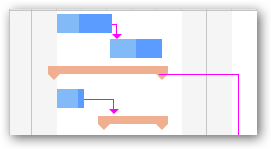
Templatized TaskBar
The ....Samples\TemplatizedTaskBar sample illustrates how to do this.
© RadiantQ 2022. All Rights Reserved.